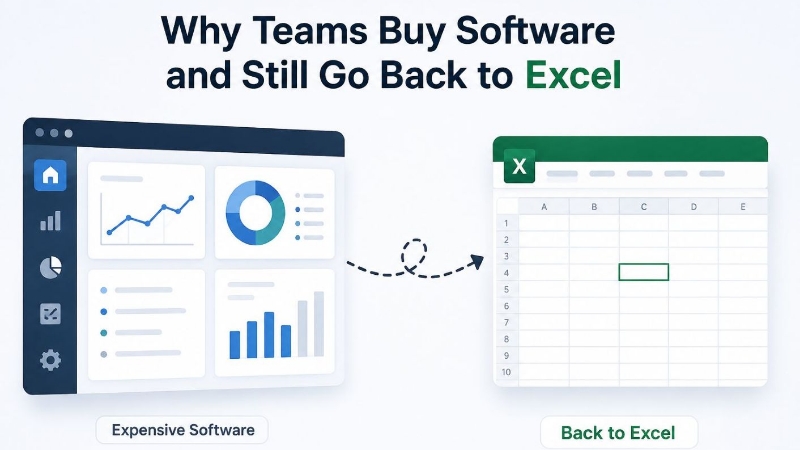
When operations start breaking, most teams assume they have a software problem.
The workflow feels messy. Tasks fall through the cracks. People keep asking for updates. Reports take too long. Handoffs are unclear. So the natural response is:
“We need a better tool.”
And that is usually where the search begins.
A platform is purchased. Demos are scheduled. Dashboards are created. Automations are promised. Everyone is told this will finally bring structure to the chaos.
But a few weeks or months later, something familiar happens.
The team quietly goes back to Excel.
Not because Excel is perfect. Not because the new software was necessarily bad. But because the real problem was never a lack of software in the first place.
The real problem was the workflow.
Big Software Often Solves the Wrong Problem
Many companies, especially small and mid-sized businesses, buy software hoping it will fix operational friction.
They end up with:
- Expensive platforms
- Dozens of features
- Complex dashboards
- Long onboarding cycles
- More fields to fill out
- More places to check for updates
At first, it feels like progress. There is a new system. A new process. A new way to track work.
But soon the cracks start to show.
The team still does not know who owns what. The same manual steps still exist. People are still copying information from one place to another. Updates are still happening in messages, calls, and spreadsheets.
The software added structure on the surface, but it did not fix the actual breakpoints underneath.
That is why teams go back to Excel.
Excel may be limited, but it is familiar. It is flexible. It does not force the team to change everything at once. And when a business is moving fast, familiarity often wins over complexity.
The Problem Is Usually Not the Tool
When a process breaks, the cause is rarely “we do not have enough features.”
More often, the problem is one of three things.
First, the workflow itself is unclear. People do not know the exact steps from start to finish. Work moves differently depending on who is handling it.
Second, there are too many manual steps. Someone has to copy data, send reminders, update status columns, follow up with another person, or check multiple places just to keep the process moving.
Third, ownership is unclear. When everyone is involved, no one is truly accountable. Tasks sit in limbo because no one knows who is responsible for the next action.
A large software platform does not automatically solve these issues.
In fact, it can make them worse.
Now the broken workflow has simply been moved into a more expensive system.
Why Big Platforms Fail Inside Small Teams
Large platforms are often designed to handle many use cases. That sounds useful, but for smaller businesses, it can quickly become a burden.
Most SMBs do not need every feature. They do not need five dashboards, ten permission levels, and a complicated reporting layer. They need one broken part of the process to work better.
For example:
A team may not need a full project management system. They may only need a better way to assign tasks after a client submits a request.
A staffing company may not need a complete CRM overhaul. They may only need a cleaner workflow for tracking candidate follow-ups.
A service business may not need a custom ERP. They may only need to stop manually updating the same data in three different places.
When the solution is bigger than the problem, adoption suffers.
People do not use tools because they are powerful. They use tools because they make their work easier.
What Actually Works
The better approach is much simpler.
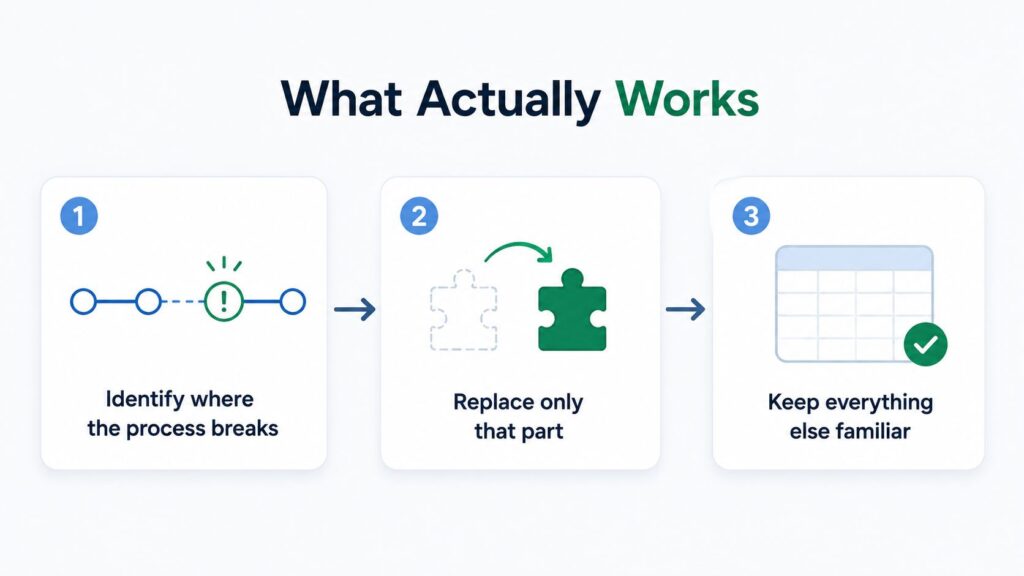
Start by identifying exactly where the process breaks.
Do not begin with software. Begin with the workflow.
Ask:
Where does work get delayed?
Where does information get lost?
Where are people doing repetitive manual tasks?
Where does ownership become unclear?
Where does the team leave the official system and go back to spreadsheets, messages, or calls?
Once that breaking point is clear, replace only that part.
Not the entire operation. Not every tool. Not every habit.
Just the part that is causing friction.
That might mean a small internal tool. A focused automation. A cleaner intake form. A shared tracker with better rules. A simple dashboard that shows only what matters. A notification flow that removes the need for manual follow-ups.
The key is to keep everything else familiar.
This is where small, focused systems win.
Small Systems Beat Big Platforms
The best operational improvements usually do not feel dramatic.
They do not require a company-wide transformation. They do not force everyone to learn a completely new way of working. They do not replace every spreadsheet overnight.
Instead, they quietly remove friction.
They reduce one manual step. They make one handoff clearer. They give one person ownership. They eliminate one repeated follow-up. They make one status visible without requiring a meeting.
That is the kind of change teams actually adopt.
Because it fits into how people already work.
Big platforms often ask the business to adapt to the software. Small systems adapt to the business.
That difference matters.
Excel Is Not Always the Enemy
It is easy to criticize spreadsheets, but the truth is that Excel is often doing an important job.
It gives teams flexibility before the process is fully mature.
In many businesses, spreadsheets are where workflows are first discovered. People create columns, filters, status labels, notes, and formulas because they are trying to bring order to the work.
The problem is not that the team uses Excel.
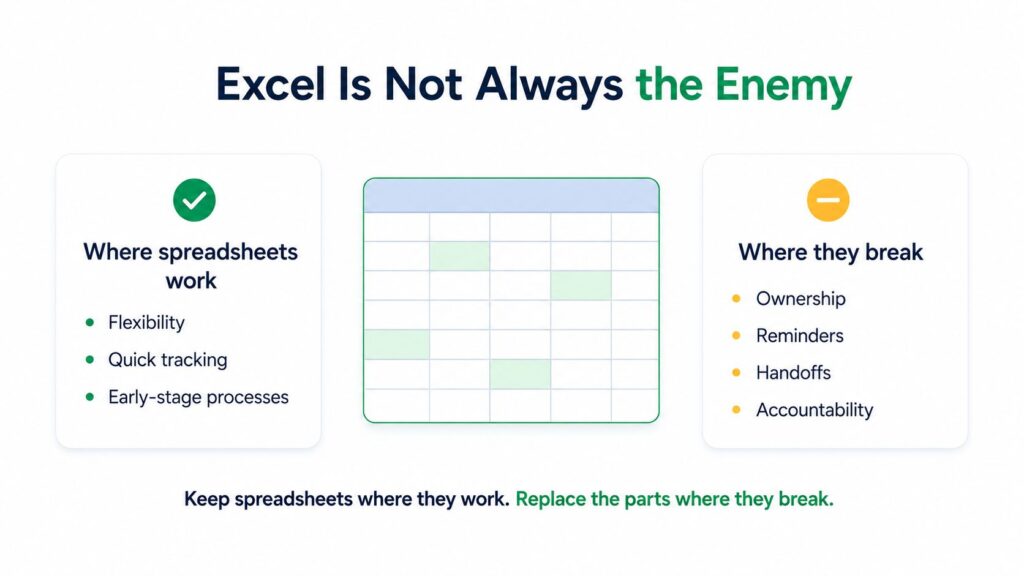
The problem is when Excel becomes responsible for things it was never meant to manage long term: ownership, approvals, reminders, handoffs, audit trails, live reporting, and operational accountability.
So the goal should not always be “replace Excel.”
A better goal is:
Keep Excel where it works. Replace the parts where it breaks.
That mindset leads to much better systems.
The Right Question to Ask
When software does not stick, most teams ask:
“Why didn’t people use the tool?”
A better question is:
“What part of the workflow did this tool fail to improve?”
That question changes everything.
It moves the conversation away from features and toward outcomes.
Did the tool reduce manual work?
Did it make ownership clearer?
Did it remove duplicate entry?
Did it help the team move faster?
Did it make the process easier to follow?
If the answer is no, then the problem was not user adoption. The problem was solution fit.
Final Thought
If your team bought software and still went back to spreadsheets, it does not necessarily mean the team resisted change.
It may mean the software was solving the wrong problem.
Operational problems usually do not need bigger platforms first. They need clearer workflows, fewer manual steps, and better ownership.
Once those are understood, the right solution is often much smaller than expected.
Small, focused systems beat big platforms because they solve the actual problem without disrupting everything else.
Especially for SMBs, that is where real operational improvement begins.