A practical internal tool that reads PDF receipts, extracts expense data with AI, flags non-reimbursable items, and helps teams review exceptions faster.
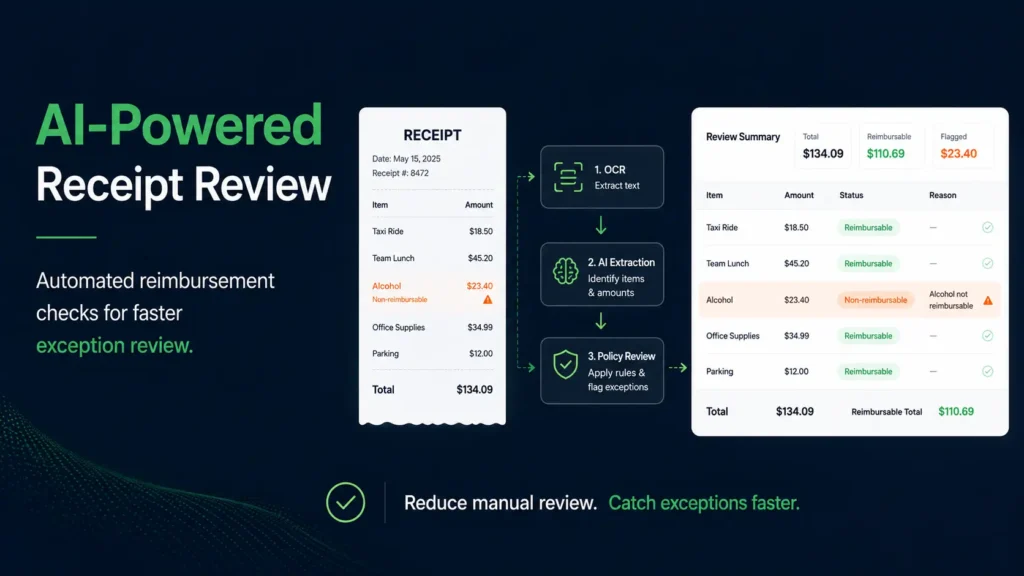
Most expense teams do not struggle because receipts are missing. They struggle because receipts are messy, inconsistent, and full of small details that take time to verify. I built this Django application to reduce that manual work. The system processes PDF receipts, extracts structured data using OCR and OpenAI, checks each receipt against reimbursement rules, and alerts the team when non-reimbursable items are found.
The problem
Manual receipt review is slow and repetitive. A single receipt can include reimbursable and non-reimbursable items together, and finance teams often need to inspect line items one by one. That creates delays, inconsistency, and unnecessary back-and-forth.
The solution
I designed a workflow that automates the most time-consuming parts of receipt review while keeping the final results visible in a human-friendly dashboard.
The app:
- Ingests PDF receipts from a local folder/sharepoint drive.
- Extracts text directly from PDFs or falls back to OCR
- Uses OpenAI to convert unstructured receipt text into structured fields and line items
- Applies custom reimbursement rules to detect non-reimbursable expenses
- Flags problematic receipts and sends alert emails
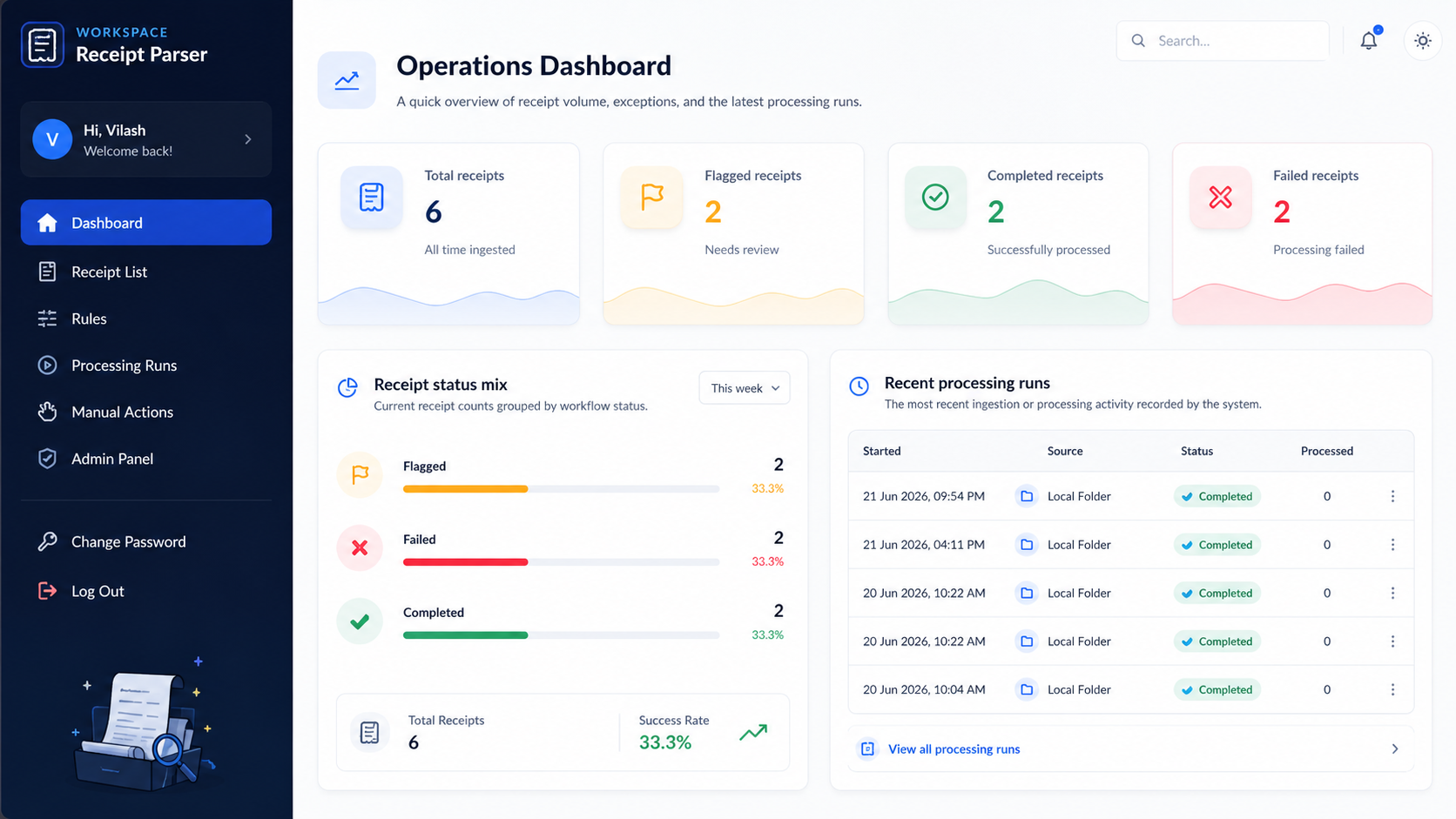
- Shows the full workflow inside a secure Django dashboard
Key features
This project is more than a parser. It is an end-to-end operations workflow.
- AI-powered receipt extraction for vendor, traveler, total, date, and line items
- OCR fallback for scanned or low-text PDFs
- Rule-based matching for non-reimbursable expense detection
- Duplicate detection using file hashing
- Processing history for auditability
- Email notifications for flagged receipts
- Internal dashboard for receipts, rules, and processing runs
- Background jobs using Celery and Redis
Tech stack
I built the application with a practical, production-friendly stack:
- Django 6
- PostgreSQL
- Redis
- Celery + django-celery-beat
- OpenAI API
- Tesseract OCR
- Docker Compose
- Microsoft Graph API for email notifications
How the workflow works
When a receipt enters the system, it is first registered and checked for duplicates. The app then tries direct PDF text extraction. If the text is insufficient, it switches to OCR. Once readable text is available, OpenAI transforms that raw content into structured receipt data and line items. The business rules engine then checks each item for non-reimbursable patterns. If any match is found, the receipt is flagged and an alert can be sent automatically.
What made this interesting
The hardest part was not just reading PDFs. It was building a workflow that could handle real-world messiness. Receipts vary in format, line items are inconsistent, and extracted data is never perfect. That is why I combined deterministic rule logic with AI extraction, instead of relying on either one alone.
Why this matters
This kind of system helps operations and finance teams move faster without losing visibility. Instead of reviewing every receipt manually, they can focus only on exceptions. That means less repetitive work, better consistency, and faster review cycles.
This project is a good example of how AI becomes most useful when it is placed inside a clear business workflow. Rather than building a demo, I focused on solving a real operational problem with a system that combines AI, rules, automation, and a usable interface.
If you are exploring AI-powered internal tools for document processing, workflow automation, or exception detection, this project reflects the kind of systems I enjoy building.